
The real reason tracking gets abandoned
Most people start a budgeting app with real intent, then stop within a few weeks — not from lack of motivation, but because manually typing every transaction into a spreadsheet or app is friction that a busy week doesn't survive. The habit needs to take seconds, not minutes.
Three faster ways to log spending
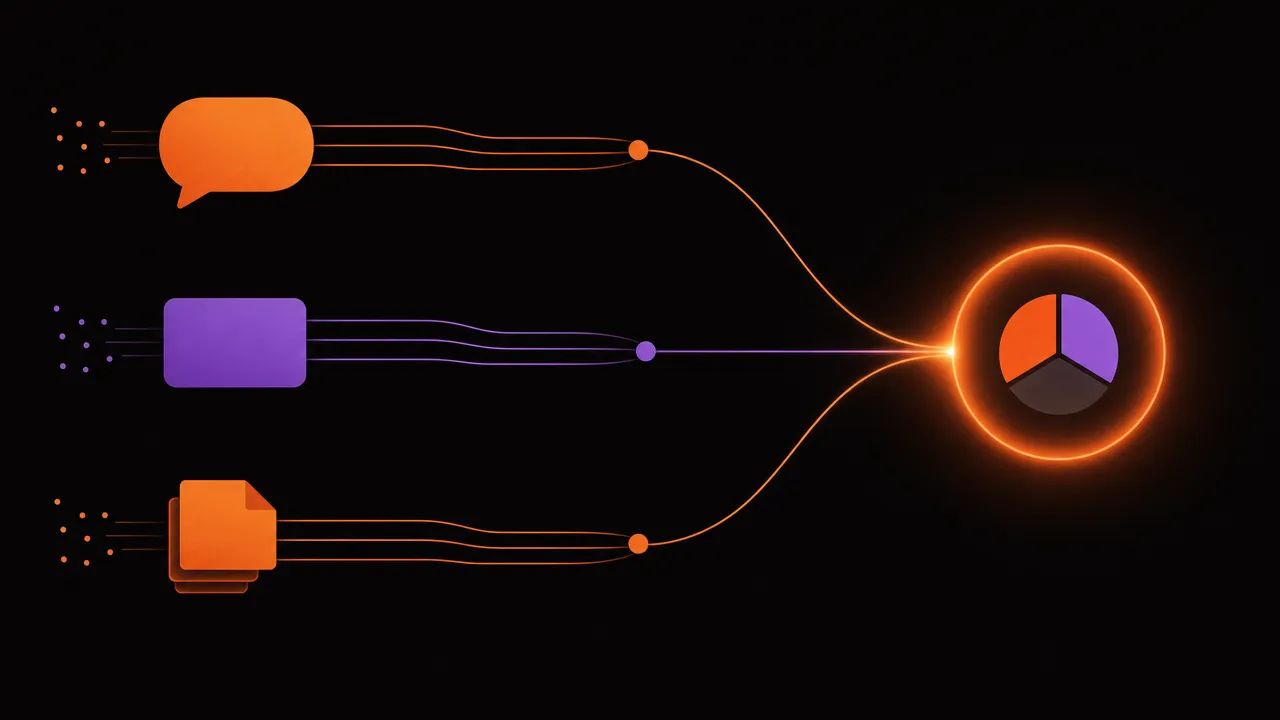
- Natural text: type "lunch 12, paid by card" and let it become a categorized expense.
- Receipt photo: snap a picture and let the amount, date, and merchant get extracted automatically.
- File import: bring in a bank or card statement in bulk instead of one line at a time.
What happens after you log something
A logged expense isn't the end of the process — it's the start of a short, automatic chain. The entry gets a suggested category, gets added to the relevant budget bucket, and shows up in the monthly trend the next time it's checked. None of that requires opening a different screen or doing a second pass; the few seconds spent logging it is the only manual step in the whole chain.
How AI categorization works, and why you still review it
AI can read a receipt or a sentence and guess the category and amount with high accuracy, but it isn't infallible — a vague description or an unusual merchant name can get miscategorized. The point isn't to remove your judgment entirely, it's to take the entry from two minutes down to a five-second confirmation.
When to trust the AI, and when to double-check
AI categorization is reliable enough to trust by default, but a few situations are worth a second look:
- A receipt from a store that sells multiple categories (a pharmacy that's also a grocery run) — the total might get filed under one category when it should be split.
- A merchant name that's a string of letters and numbers instead of a brand name — common with smaller vendors and overseas charges.
- A refund or a transfer between your own accounts, which AI can sometimes mistake for new spending.
Restarting after you've already given up once
Most people don't track spending successfully on the first try, and that's not a sign it won't work — it's normal. A second attempt usually goes better simply because the friction is lower: bank or card data can often be imported in bulk to backfill the gap instead of starting from a blank slate, so the habit has something to build on from day one instead of an empty history.
Consistency beats precision
A budget that's logged imperfectly every day beats a budget that's logged perfectly for two weeks and then abandoned. Speed is what protects the habit, and the habit is what makes the data useful months later.
How Moneux's AI import works
Moneux accepts natural text, receipt photos, and spending files, turning each into a reviewable transaction with a suggested category — so logging spending takes the few seconds it needs to, and the habit actually survives a busy month.
Log spending in seconds, not minutes
Type a sentence, snap a receipt, or import a file — Moneux's AI turns it into a categorized transaction.